
CrystalCPUID [Obsolete]
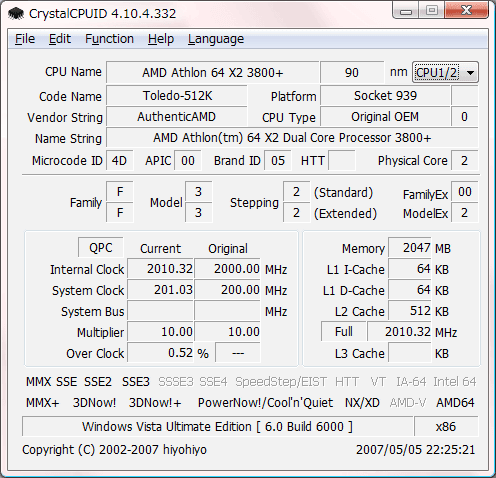
CrystalCPUID is a CPU utility software.
System Requirements
| OS | x86 : Vista/2003/XP/2000/NT4/Me/98/95 x64 : Vista/2003/XP |
|---|---|
| IE | 4.0 ~ |
Key Features
- Support AMD64/EM64T
- Intel SpeedStep Control
- AMD K6/K7/K8/GeodeLX Multiplier/Voltage Control
- VIA CyrixIII/C3 Multiplier Control
- Multiplier Management
- MSR Editor/MSR Walker
- Clock, Cache, System Clock, Multiplier
- Feature Flags
- CPUID
- Process Rule
- Code Name
- Multi Processor
- PCI Device List
- Chipset/VGA information
- BIOS Information
- Change Dialog Font
- Change Wallpaper
FAQ
Automatic startup with activation of multiplier management.
Set /CQ & /HIDE command line option and put shortcut on Startup. If you would like to get more information, please read ReadMeCpuid.txt.
example
“C:CrystalCPUIDCrystalCPUID.exe”
-> “C:CrystalCPUIDCrystalCPUID.exe” /CQ /HIDE
*This feature may not work on Windows Vista.